What if every backup only moved what changed?
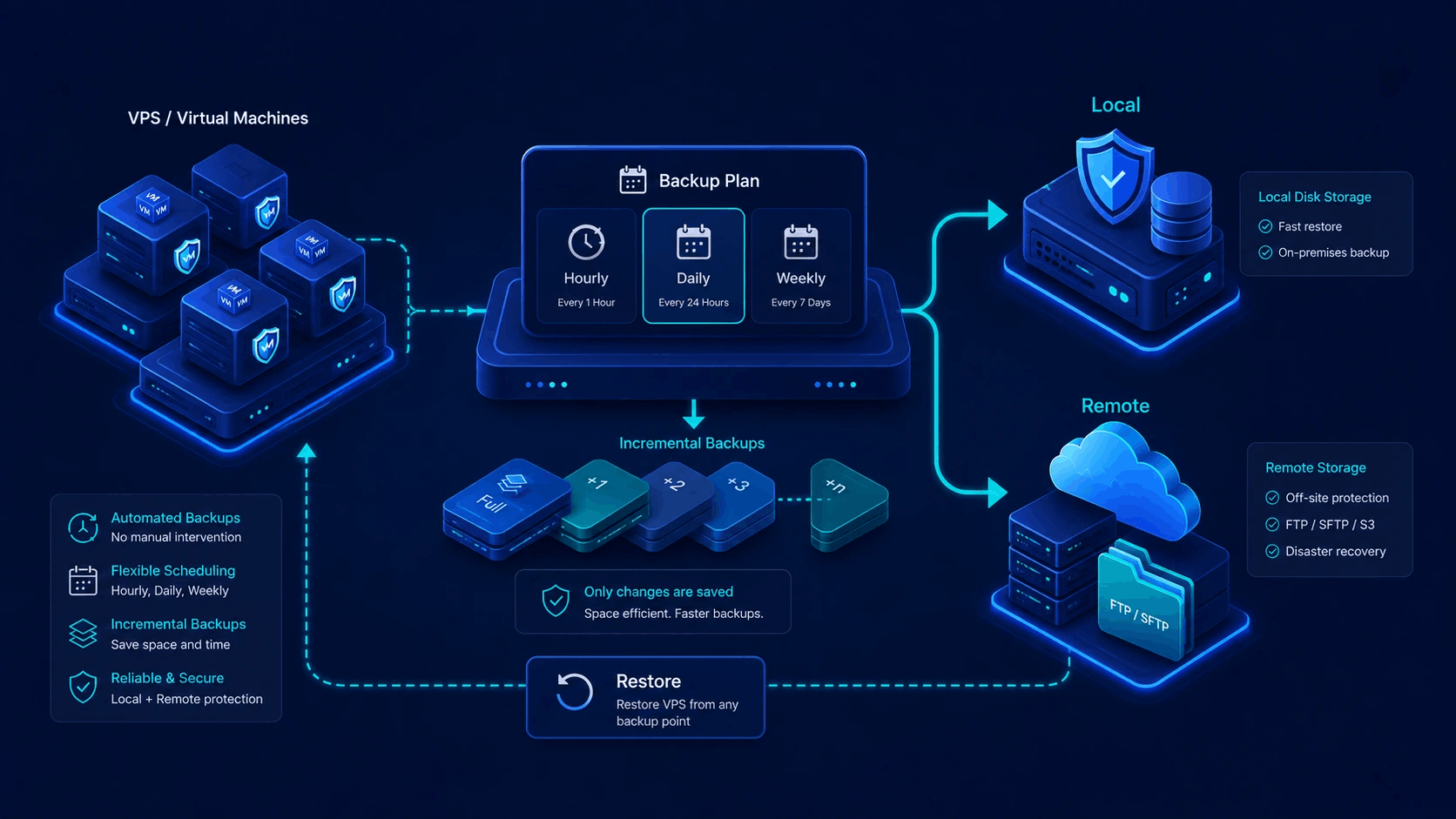
Backuply is Virtualizor's native incremental backup engine. After one full base, it transfers only modified disk blocks - then rotates chains safely, ships copies off the node, and restores from admin or enduser panels in a single click.

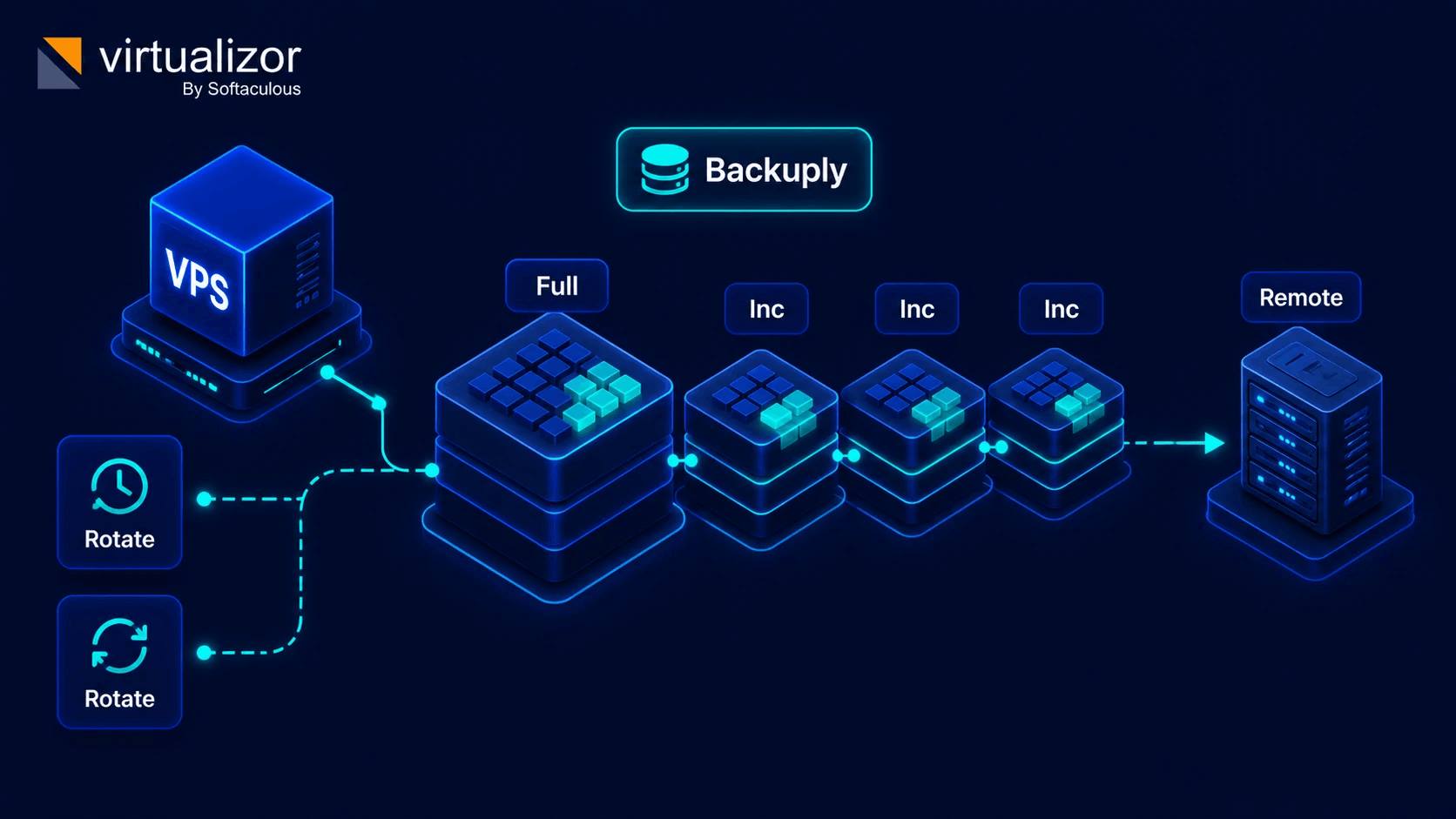
Full base once. Lightweight layers forever after.
Instead of copying multi-gigabyte virtual disks on every run, Backuply creates an initial Full Base and appends Incremental Delta layers on each schedule. Less window. Less bandwidth. Same recoverability.
- Dramatically shorter backup windows after day one
- Chain-aware rotation - old points leave without breaking the chain
- Off-node copies so hardware failure is not total data loss
- Native admin + enduser panels - no third-party backup suite
From initial backup to one-click restore
Four moves. Everything happens inside Virtualizor - schedule, chain, remote upload, and restore.
License the node
Enable Backuply on the Virtualizor server you want protected. It becomes a first-class tab in admin and (when you allow it) enduser panels.
Create the full base
The first job captures a complete base of the VPS disk and starts the backup chain. That base is the foundation every later delta builds on.
Ship only the deltas
On hourly, daily, weekly, monthly, or custom CRON schedules, Backuply analyzes changed blocks and transfers only what moved - locally or to a remote target.
Restore or rotate
Pick any point in the chain and restore to the original VPS or a new one. Retention policies rotate expired points with chain-safe deletion.
Full archives protect you. Incremental chains scale with you.
Standard Virtualizor backup plans already schedule full VPS archives. Backuply is for fleets where backup windows, bandwidth, and retention start to hurt.
Included full backups
Great baseline protection: schedule compressed full images, send them to local or remote SSH/FTP servers, restore when you need to.
- Full image every run
- Local + SSH/FTP destinations
- Built into Virtualizor licenses
Incremental engine
When full runs get expensive in time and space, switch to block-level deltas, more destinations, smarter rotation, and self-service restore tabs.
- Full base + incremental layers
- 7 remote cloud destinations
- Chain-aware retention & enduser tab
Everything inside the engine
High-performance data protection for multi-tenant cloud hosts. Click any feature card to view complete specifications.
Incremental delta engine
7 remote destinations
Single-click restore
Keep copies where failure cannot follow
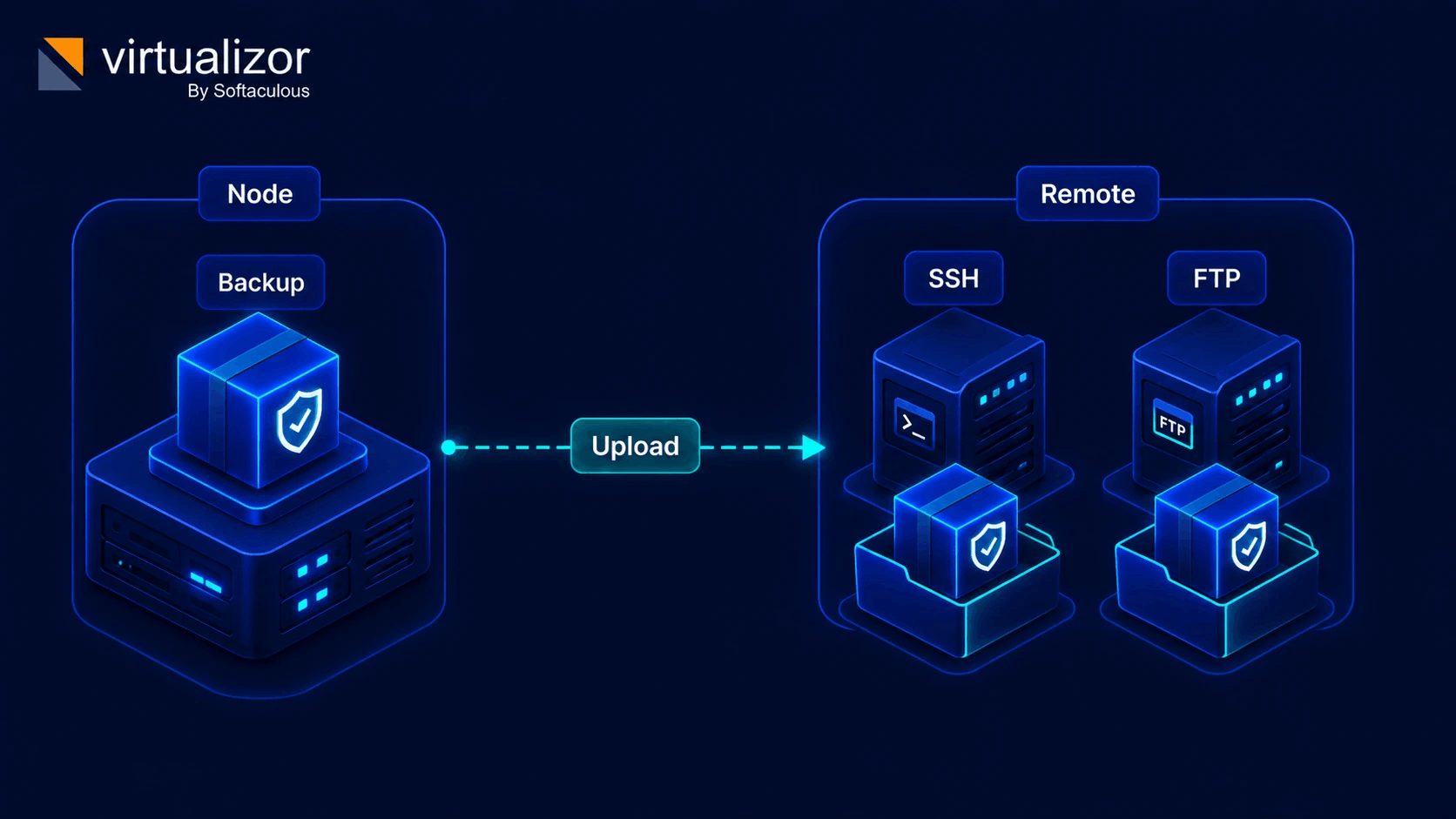
Backuply can stay local for speed, or push every chain off-node so a hardware fault never takes your last good restore with it.
- Protocol: SSH / SFTP and FTP / FTPS
- Object storage: S3-compatible buckets
- Cloud drives: Google Drive, OneDrive, Dropbox
- Local disk on the Virtualizor node
Recovery should feel boring - in a good way
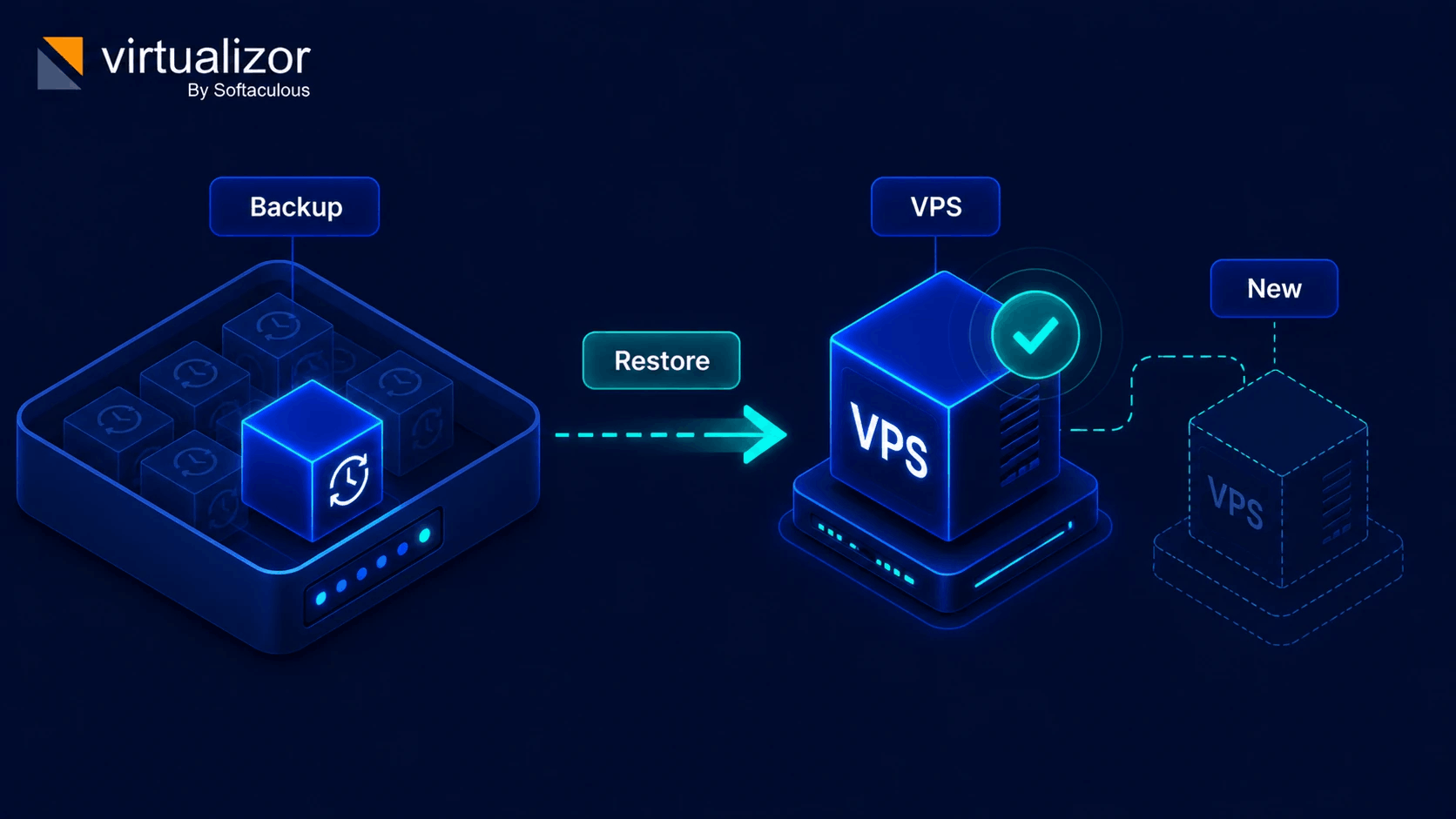
Open the Backuply list, pick a timestamp, restore. No SSH scavenger hunt. No reconstructing chains by hand.
- Original VPS or new VPS target across nodes
- Chain validation before restore completes
- Enduser self-service when you grant the ACL
- Notes and timestamps on every restore point
Backuply technical specifications
Detailed technical matrix for Virtualizor's Backuply incremental engine.
| Status | Capability / Feature | Technical Detail & Supported Standards |
|---|---|---|
| Backup Engine | Block-level incremental delta chains (Full Base + Incremental Deltas). | |
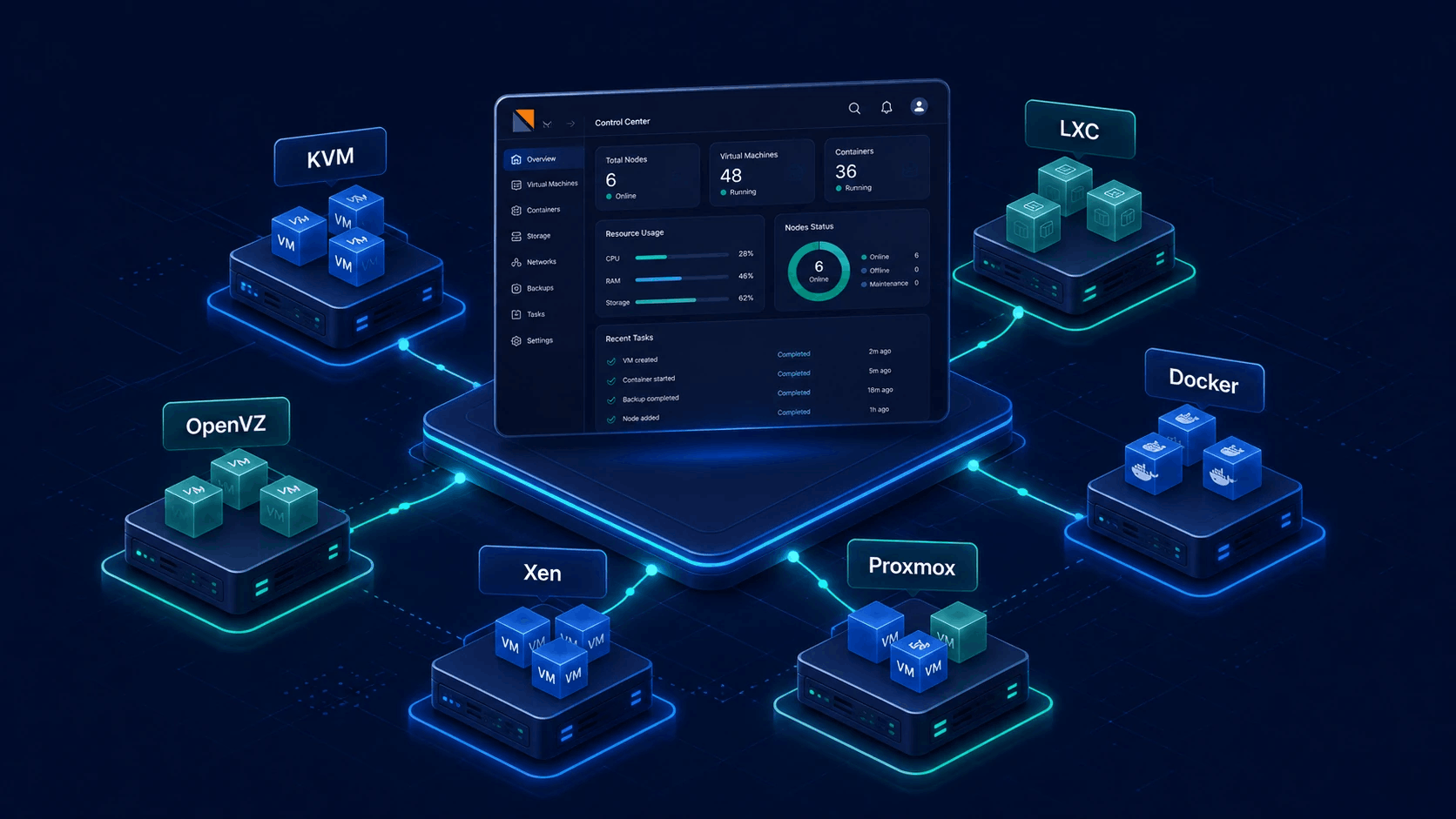
| Hypervisor Support | KVM, Virtuozzo KVM, Virtuozzo OpenVZ (VHS paid edition), and Proxmox VE. | |
| Remote Destinations | SSH (SFTP), FTP (FTPS), S3 Object Storage (AWS S3, Wasabi, MinIO, DigitalOcean Spaces), Google Drive, Microsoft OneDrive, Dropbox, and Local Disk. | |
| Schedules | Hourly, daily, weekly, monthly, and custom CRON-style plans from the Virtualizor panel. | |
| Retention & Rotation | Automatic backup rotation policies with dependency-aware incremental chain deletion safeguards. | |
| Restore Options | Single-click restore from panel to original VPS instance or deploy to a new VPS target across nodes. | |
| Self-Service Access | Dedicated Backuply tab in Enduser Panel allowing clients to run on-demand backups and restores within quotas. | |
| Licensing | Separate per-server add-on license. Complements - does not replace - standard Virtualizor backup plans. |
Admin control, enduser self-service
Role-based access keeps Backuply safe for multi-tenant hosts while still letting clients help themselves.
System Administrators
- Configure Backuply server licenses and global backup plans
- Manage remote destinations (SSH, FTP, S3, Drive, OneDrive, Dropbox)
- View cluster-wide chains, run restores, manage retention
- Grant enduser backup permissions and quota limits
Endusers & Clients
- Dedicated Backuply tab in enduser panel
- Run on-demand incremental backups within quota
- One-click restore to existing or new VPS targets
- View chain timestamps and restore point notes