Many nodes. One master panel.
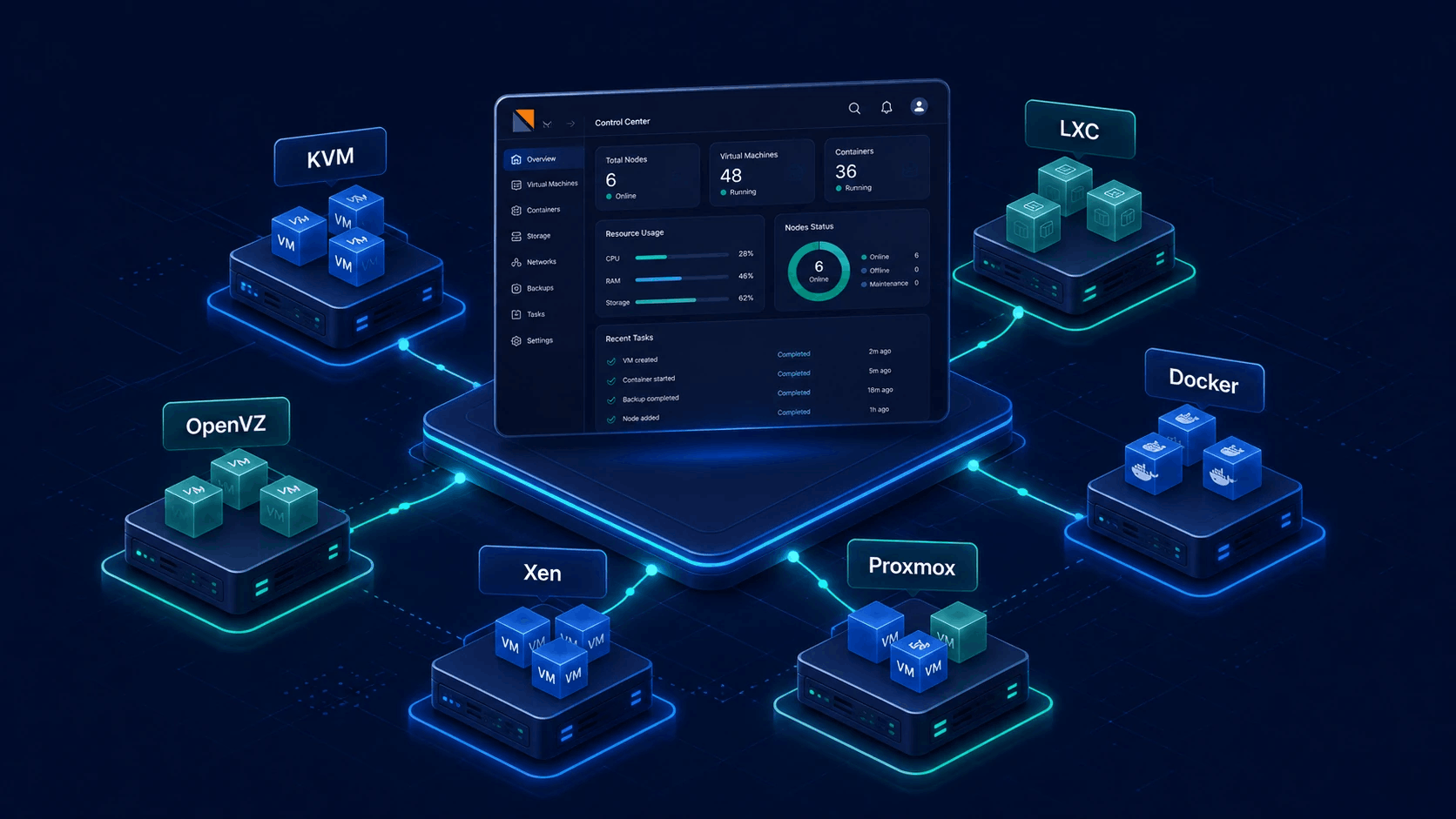
Run a master Virtualizor server and add slaves as you grow. Group nodes for placement (and VPC scope), migrate VPS between hosts, and use high-availability options on server groups when you need failover-oriented design - without living in the terminal for day-to-day ops.

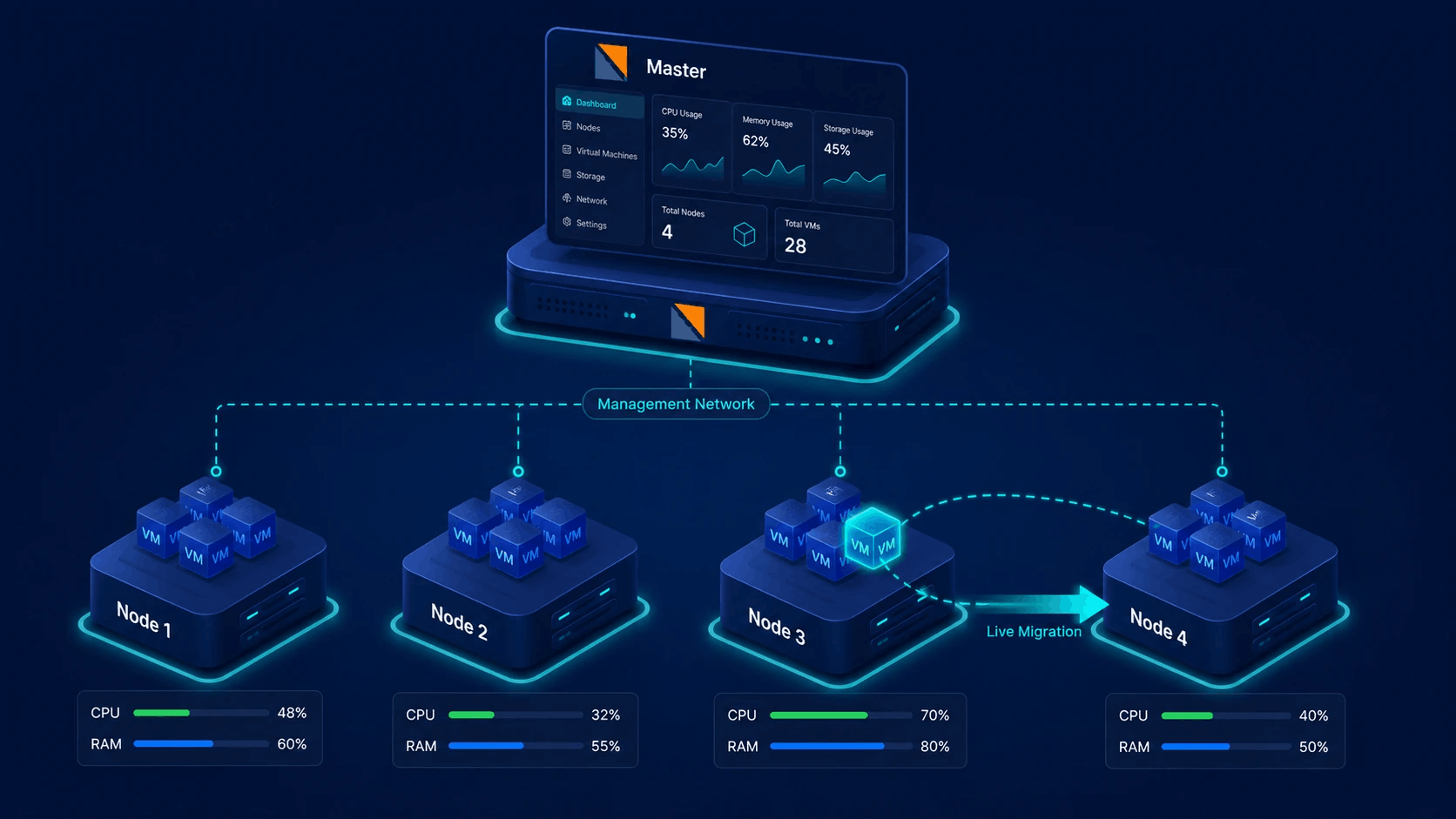
Master, slaves and server groups
The master holds the control plane. Slaves run hypervisors and guest VPS. Server groups organize nodes for placement, regions-style labeling, VPC binding and HA configuration where you enable it.
- Master / slave architecture
- Add and remove servers from the admin panel
- Server groups for placement and VPC scope
- Live and offline VPS migration paths
From one host to a managed fleet
Clustering is how Virtualizor scales operators, not a separate product SKU.
Install master
Install Virtualizor on the master. Admin UI, users, plans, media and billing config live here. Optional master-only license if you never host VPS on the master itself.
Add slaves
Add slave servers with their virtualization type. The master talks to each node for create, power, migrate and monitoring so staff stay in one panel.
Group, place, protect
Create server groups, place VPS on the right nodes, migrate when load shifts, and enable high availability options on groups that need failover-oriented design.
What multi-node Virtualizor actually gives you
Three operational pillars. Same panel as a single-node install.
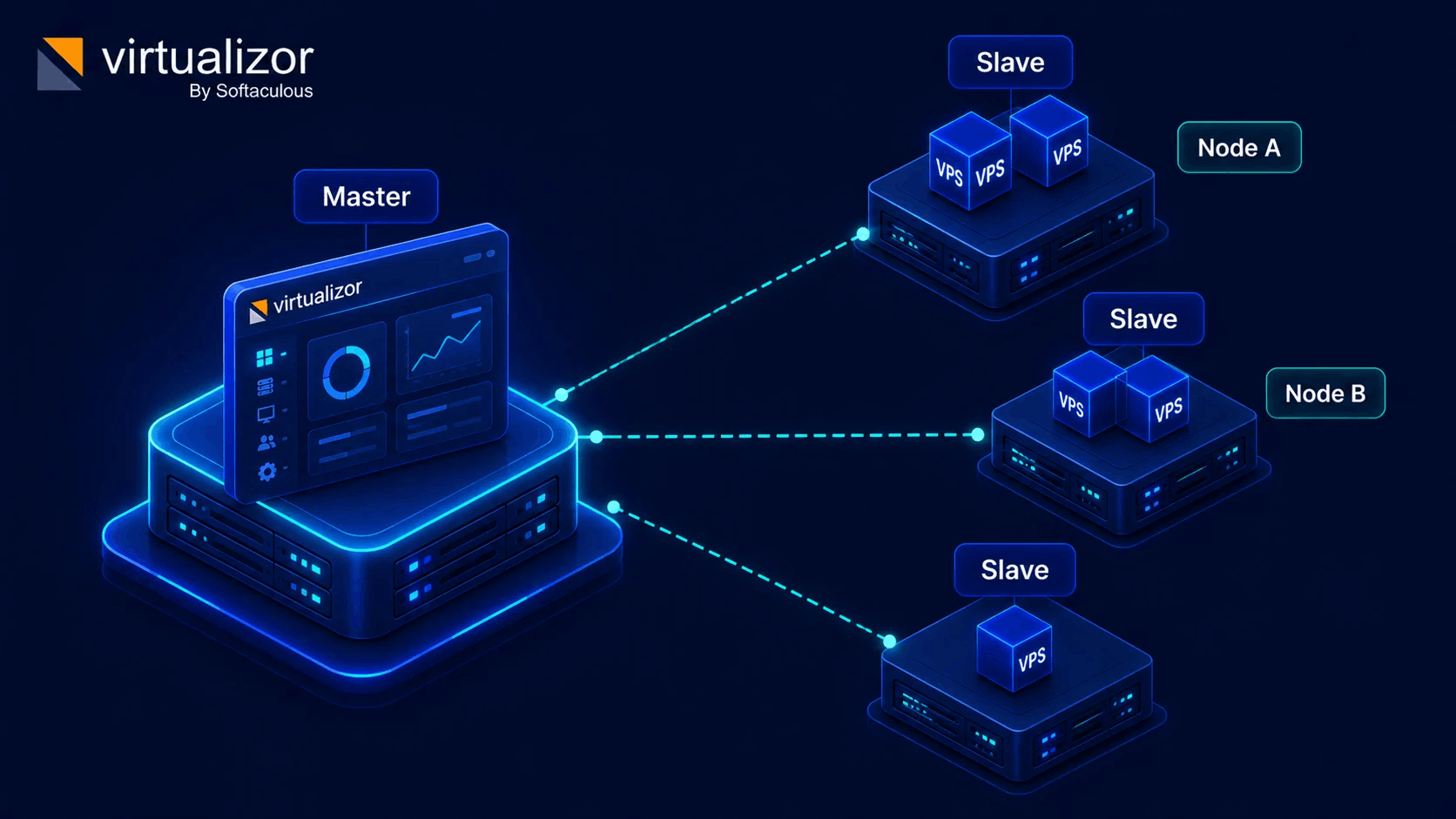
Master & slave nodes
One master control plane, many slave hypervisors. Add servers as you sell more VPS. Day-to-day create, power and console actions run through the master against the right node.
- Master holds panel config and orchestration
- Slaves run guest workloads
- Per-node virtualization type (KVM, LXC, and more)
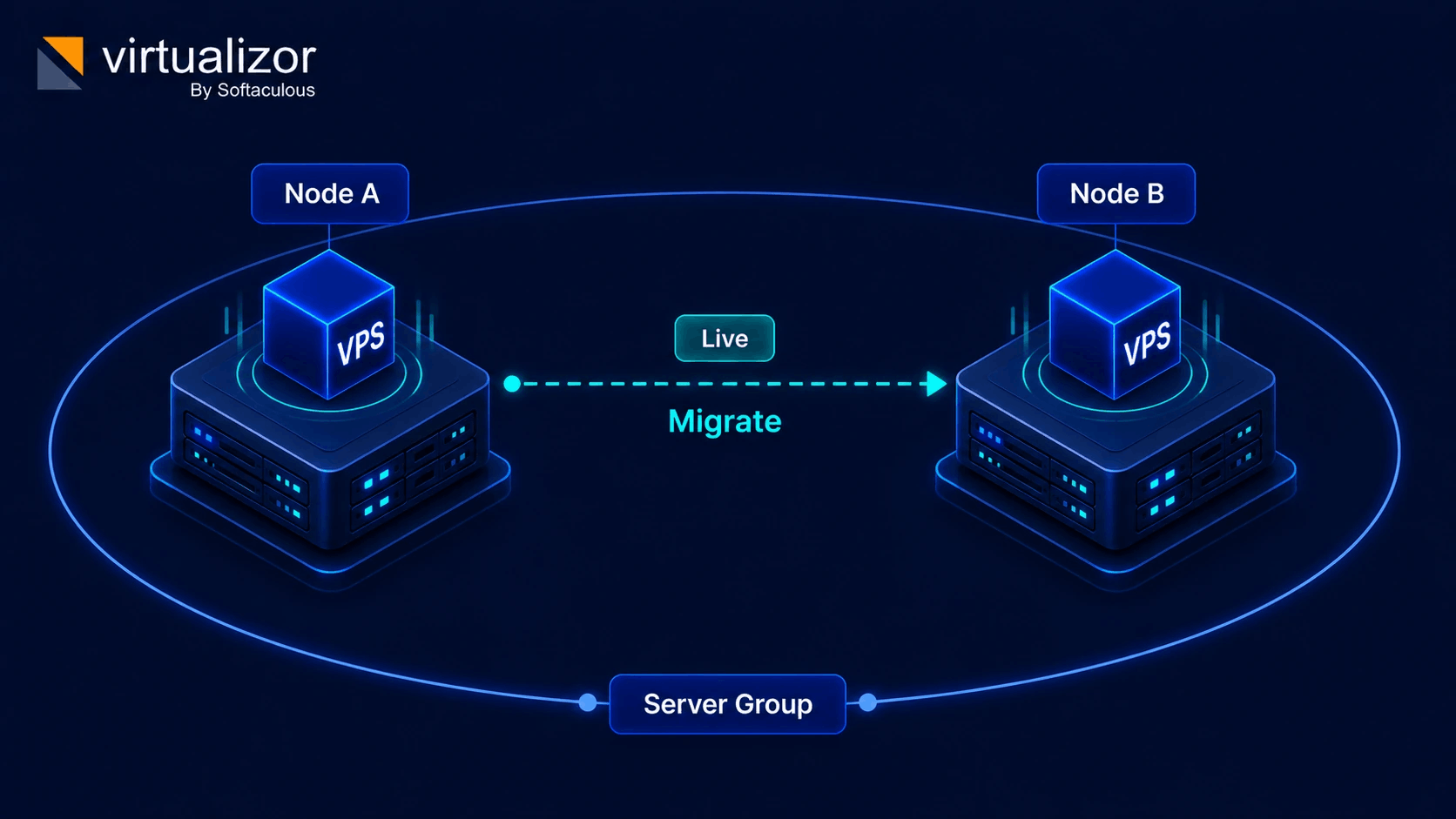
Migration & placement
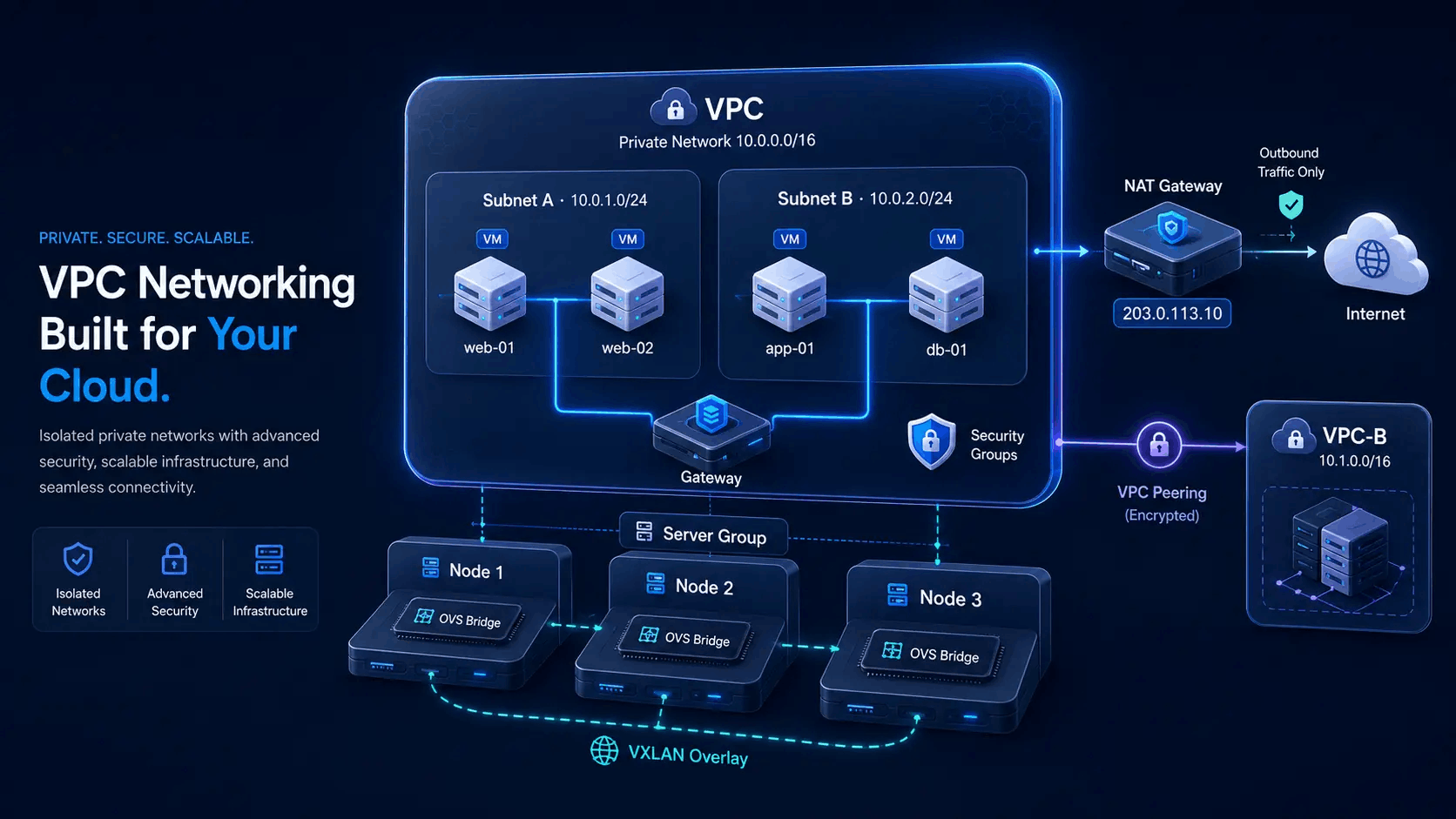
Move VPS between nodes when you rebalance or free a host. Server groups guide where new guests land and also scope features such as VPC overlays to the right set of nodes.
- Live and offline migration paths
- Server groups for regions-style placement
- VPC and related features bind to server groups
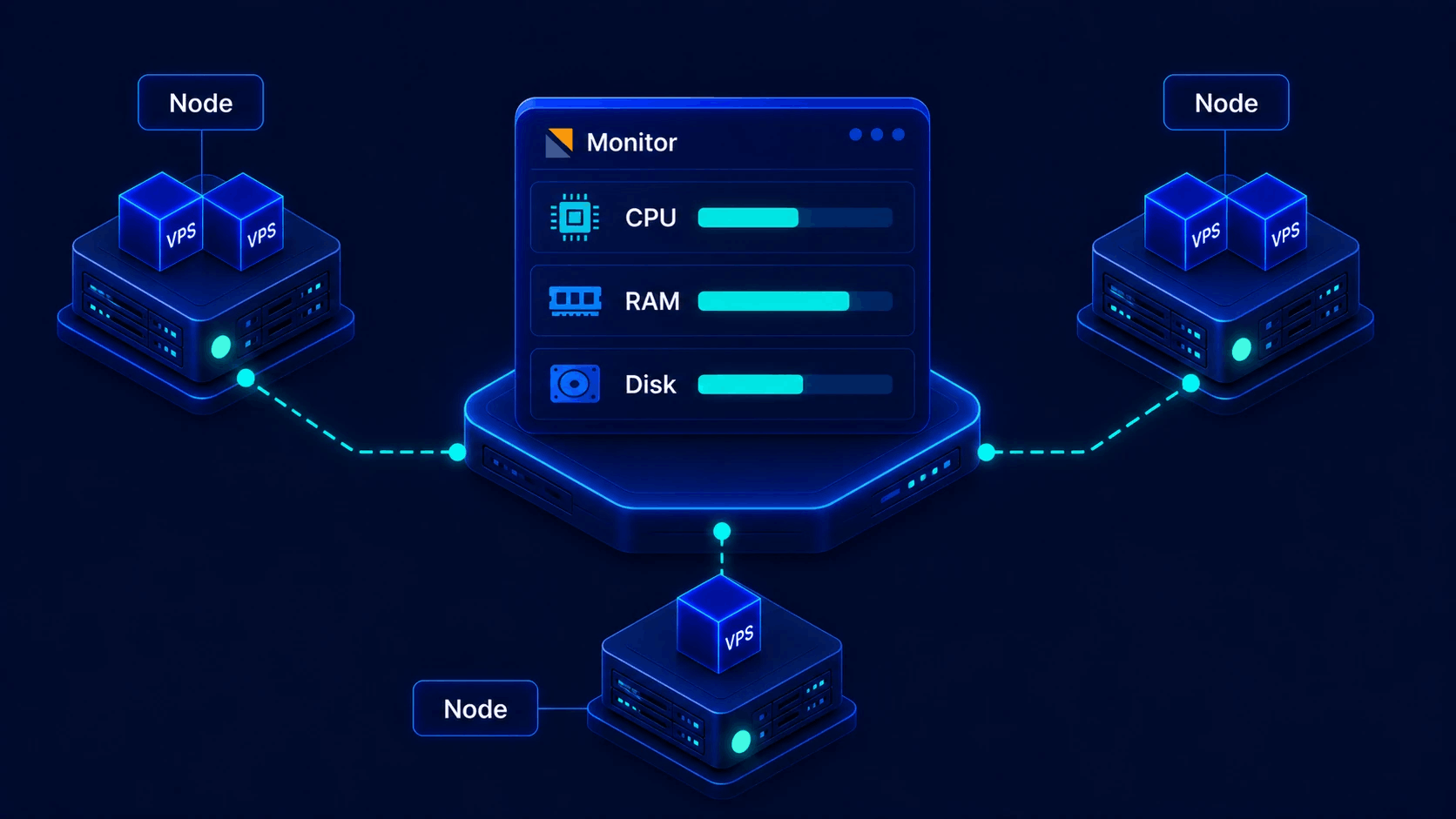
Monitoring & loads
Watch server loads and performance across the fleet. Pair monitoring with high availability on server groups when you need failover-oriented design - see the HA section below.
- Multi-node resource and load views
- CPU, RAM and disk oriented signals
- Operate from the same master panel
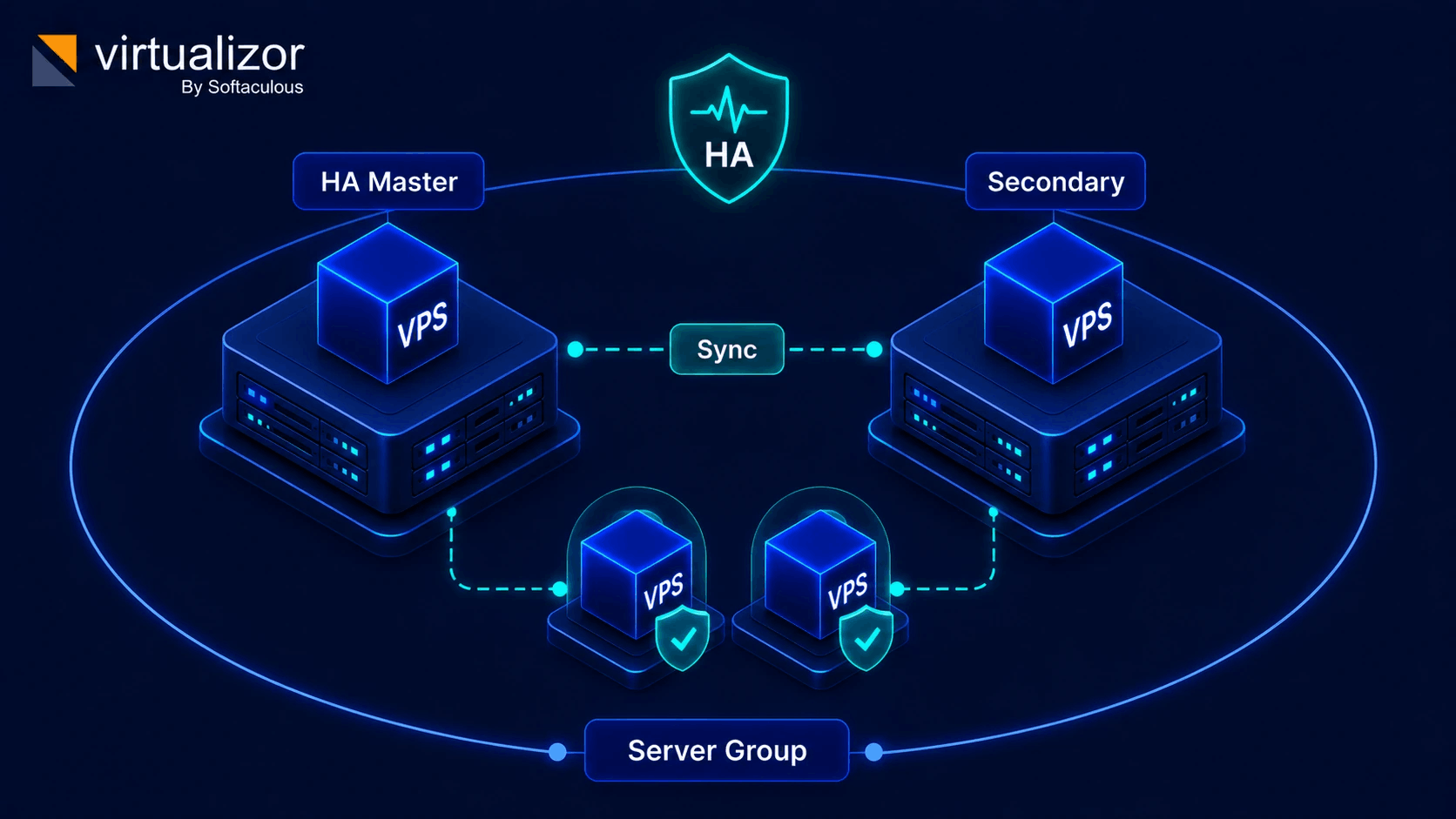
HA-oriented server groups
Virtualizor exposes high availability configuration on server groups: mark HA-capable groups, assign nodes (including HA master role), install HA components where supported, and monitor HA cluster state from the admin UI.
- HA settings scoped to server groups
- HA master designation on participating nodes
- HA install and sync admin actions
- HA status views for enabled groups
Exact failover behavior, supported OS and virtualization combinations depend on your install path. Follow Softaculous HA documentation for your version rather than assuming generic dual-VIP marketing claims.
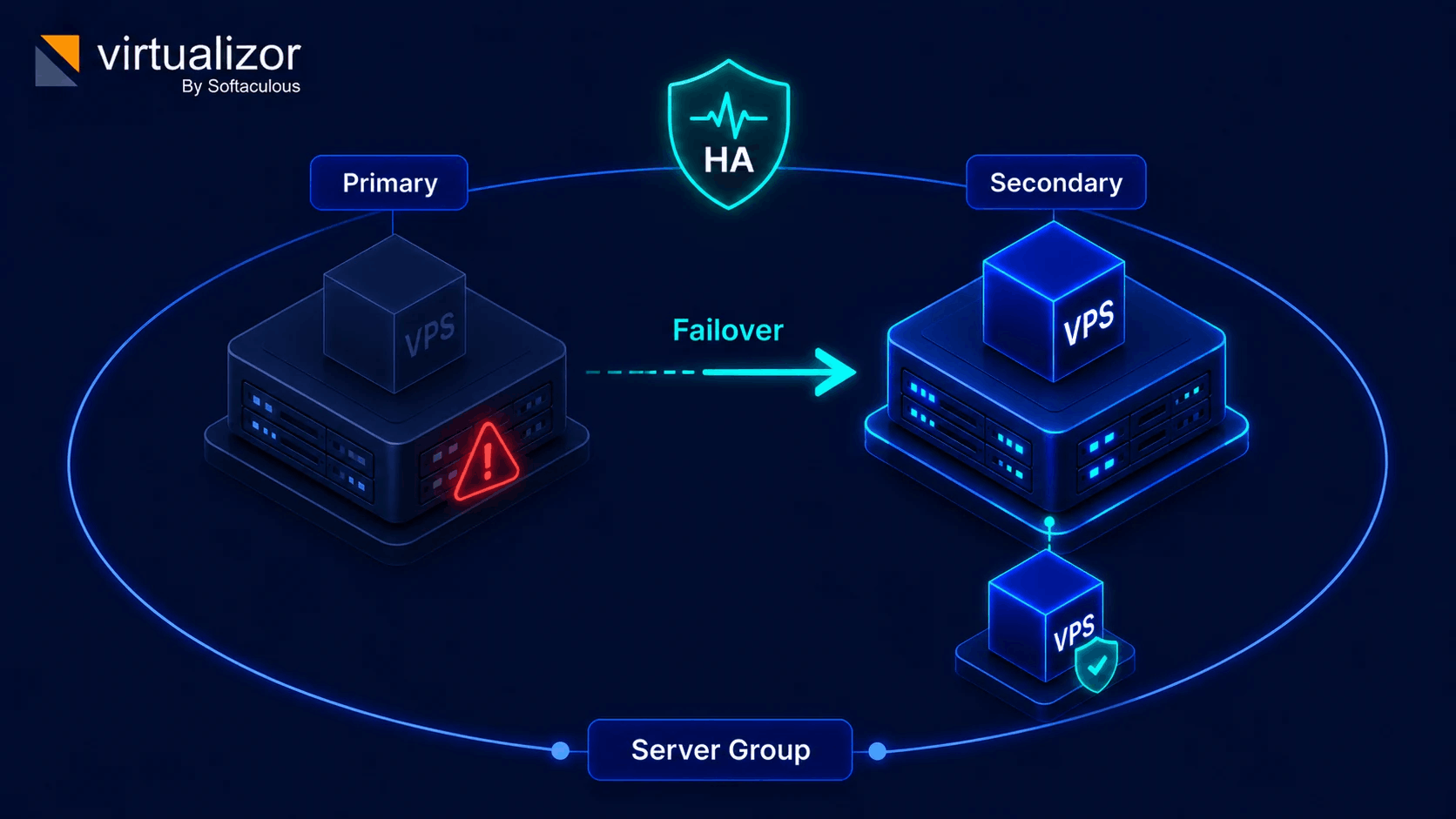
Failover path
When a primary node is unavailable, HA-oriented design aims to keep workloads available on the secondary path - follow docs for your stack.
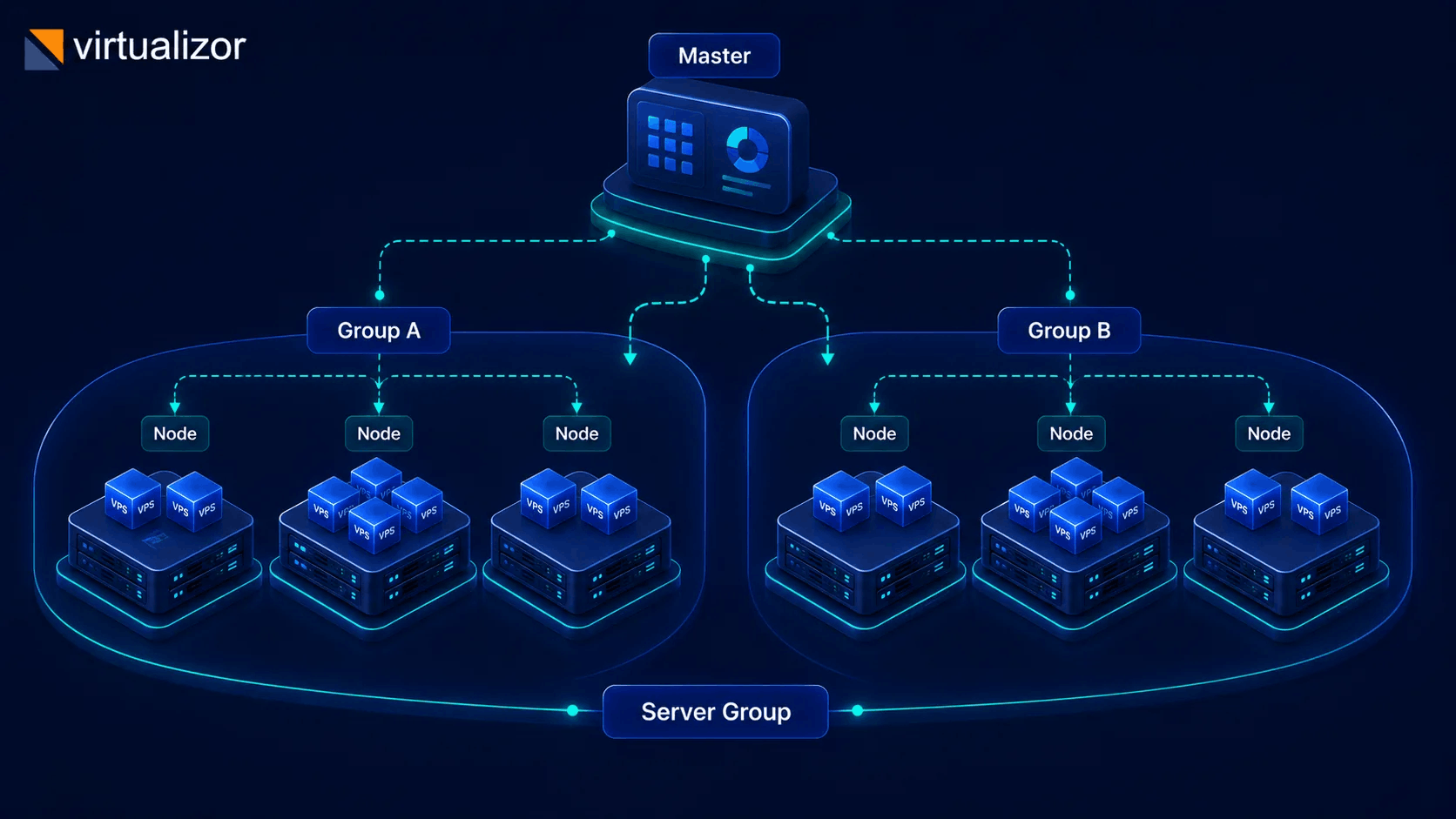
Server groups
Group nodes for placement, regions-style labeling, VPC scope and HA configuration - one object many features use.
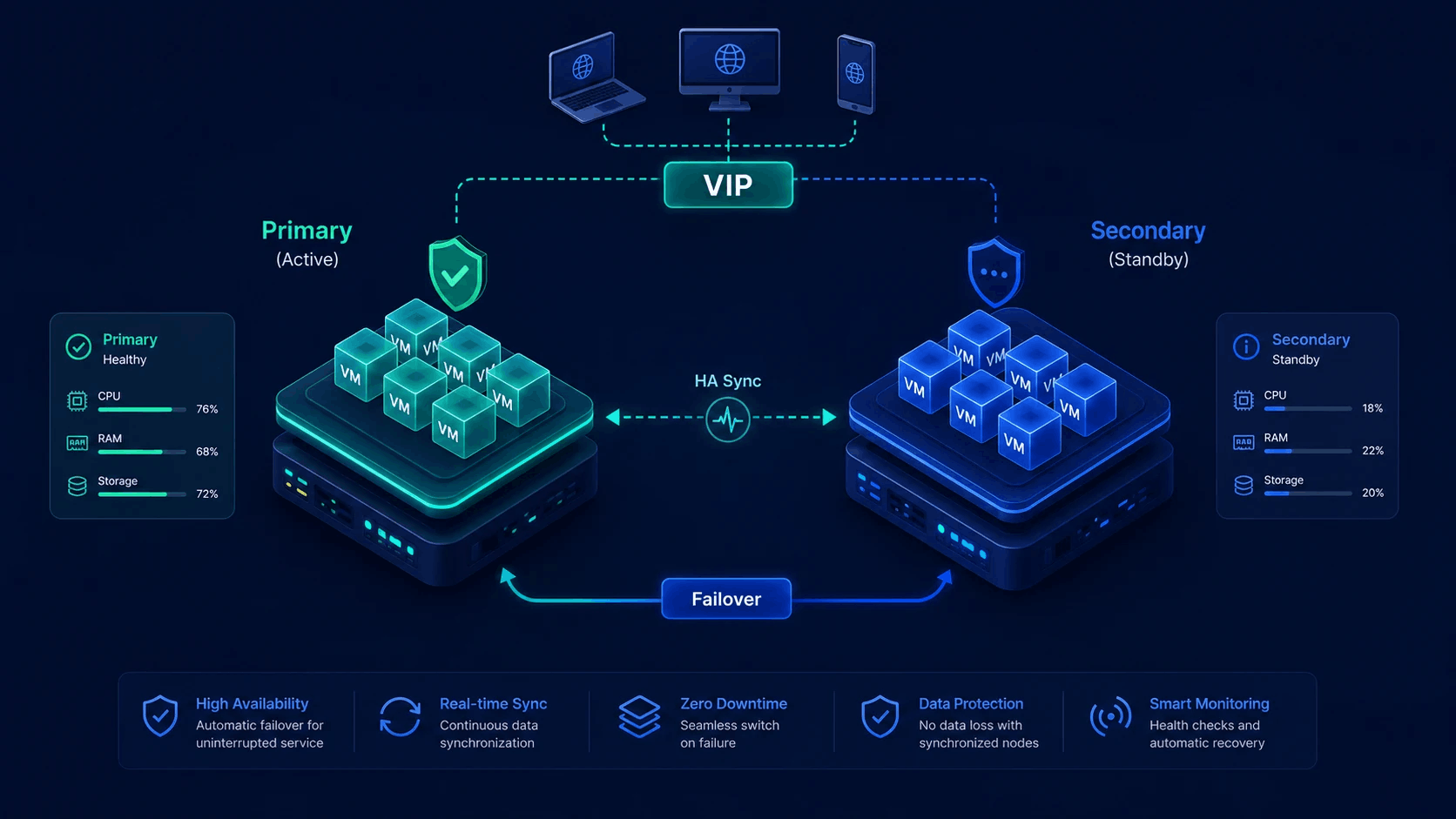
HA pair design
Participating nodes in an HA-capable group work as a protected set - install and sync tools live in the admin HA pages.
Admin cluster control
Clustering and HA are operator features. Endusers consume VPS on the nodes you expose.
Administrators
- Add, edit and remove slave servers
- Create server groups and place VPS
- Migrate VPS; enable HA on eligible groups
- Monitor loads and HA status across the fleet
Endusers & resellers
- Create and manage VPS on allowed plans and nodes
- Do not manage master/slave topology or HA install
- Benefit from multi-node capacity and placement you configure
Panel load balancer (HAProxy-oriented tools) is a related networking feature for distributing traffic across VPS - separate from node HA. Configure it where your product edition exposes it.